
IT Helpdesk Software: Automate IT Processes & Support Workflows with Magic BPM
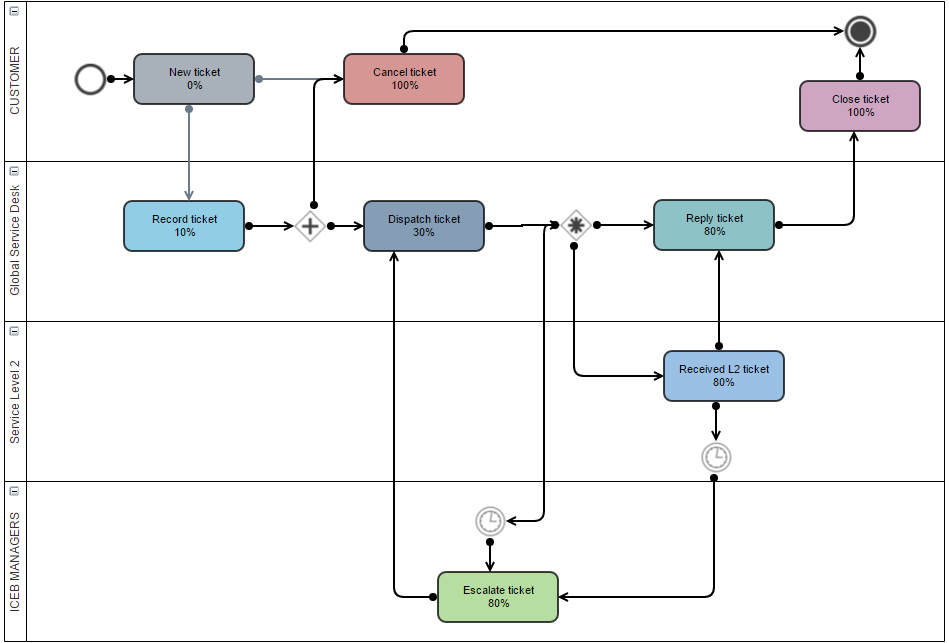
Why Automate Your IT Helpdesk?
IT teams are under pressure to do more with less. Support requests arrive from multiple channels — email, chat, phone — and without a structured workflow, tickets get lost, priorities get confused, and SLAs are missed. Meanwhile, IT managers spend hours chasing status updates instead of solving problems.
IT helpdesk automation gives your team a structured, repeatable process for every request. Tickets are logged automatically, routed to the right person, and tracked from open to resolution — with full visibility for everyone involved.
IT Workflows You Can Automate with Magic BPM
Internal Helpdesk & Incident Management
Every end-user request — hardware failures, access issues, software problems — is captured in a structured ticket. Magic BPM routes it to the right team, sets priority levels, tracks resolution time, and archives the answer for future reference. Nothing gets lost in an email inbox.
IT Request & Change Management
New equipment requests, software licences, access rights and system changes all follow a structured approval workflow. Requestors know exactly where their ticket stands. Approvers are notified automatically. IT managers have a complete audit trail for every change made.
IT Project Management
Use integrated sub-processes and individual tasks (including time tracking) to coordinate internal IT projects. Every team member sees their tasks, deadlines are enforced, and project progress is visible in a real-time dashboard — without needing a separate project management tool.
Outsourced IT Support Coordination
If your IT support is outsourced, Magic BPM acts as the coordination layer between your company and your provider. Log requests from users, route them to the external team, and track resolution — all in one place.
How Magic BPM Works for IT Teams
Magic BPM is a no-code BPM platform — IT managers and operations teams can design, deploy and modify workflows without any developer involvement. Use the drag-and-drop process modeller to map your support workflows, define escalation rules, assign tasks by role or skill, and set up automated notifications. Deploy in days, not months.
Key features for IT:
- No-code workflow builder — design and modify IT processes yourself
- Multi-channel ticket capture — email, web form, or API integration
- SLA tracking — define resolution targets and get alerts before breaches
- Role-based assignment — tickets go to the right team automatically
- Real-time dashboard — full visibility over all open IT requests
- Document management — attach screenshots, logs and certificates directly in the ticket
- Audit trail — complete history of every action, every change
IT Helpdesk Software vs. Manual IT Management
| Manual / Email | Magic BPM | |
|---|---|---|
| Ticket logging | Email chains, lost requests | Structured, centrally logged |
| Priority management | Ad hoc, inconsistent | Rules-based, automatic |
| SLA tracking | No visibility | Real-time alerts and dashboards |
| Change management | Informal, no audit trail | Structured approval + full history |
| IT project coordination | Spreadsheets + meetings | Integrated task & sub-process management |
| Time saved per week | 0 | Estimated 4–8 hours |
Who Uses Magic BPM for IT?
Magic BPM is used by IT managers and CIOs in companies of all sizes — from SMEs building their first formal IT support process, to enterprise IT departments managing complex multi-site environments. Whether you handle 10 or 1,000 tickets per month, Magic BPM gives you the structure to manage IT support reliably and efficiently.

